

I’ve been playing the same game of Kerbal Space Program (KSP) since 2016 over at kerbalstates.com
I’m updating an old save game of Kerbal Space Program (KSP), the one I’ve been playing since 2016, to the most recent (and likely, last) version.
Additionally I am converting completely to Linux for my gaming computer and KSP has been one of the big hills to climb for this.
There is a native Linux version of KSP that runs perfectly however some mods need to run in Windows to function correctly, specifically the Volumetric Clouds mod by Blackrack… which is so gorgeous I’m willing to do a little extra work to make it run.
All is not lost for Linux though, as Proton does a great job running KSP.
So – I installed KSP on Windows, then copied the folder over to my Linux install. You should also be able to, through Steam, set your compatability mode on, and Steam will just download KSP for Windows.
From there, I’m adding it as a “non steam game to Steam” – a pretty easy process.
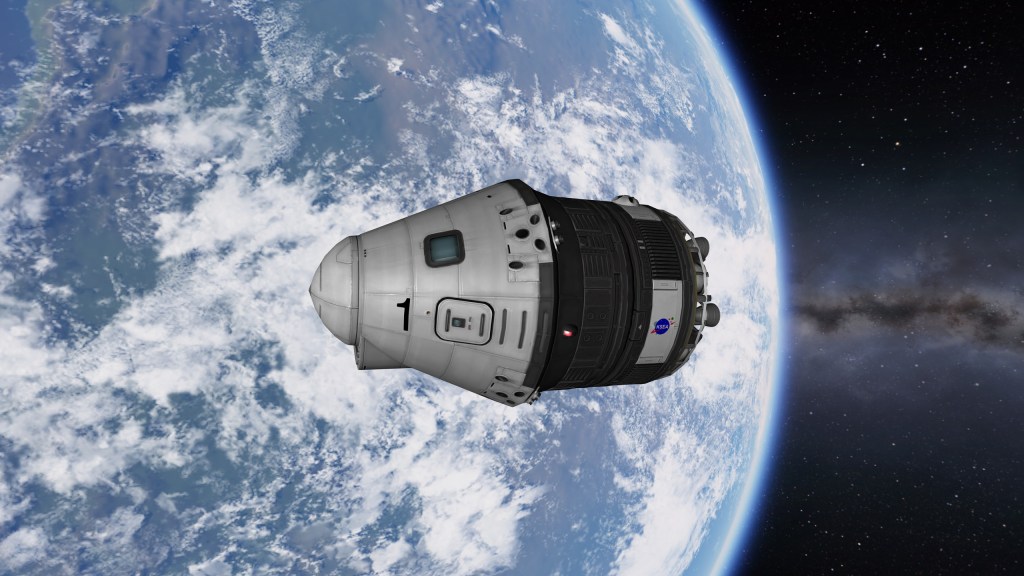
So far so good, functioning well. Now it’s the long and difficult process of testing for compatibility as I install mods.
Coming up I’ll go through the process of how to test mods and specifically which mods I’m using.
After that I’ll go through the process of re-creating your save game by editing the text files in the game!




![Kerbal States Update: Configuration Troubles with Outer Planets, Volumetric Clouds [Fixed!]](https://sayburstuff.com/wp-content/uploads/2025/02/tekto-cloud-problems-1.png?w=1024)
![Kerbal States Update: Rovers in KSP Have Lights and Brakes Stuck On [Fixed!]](https://sayburstuff.com/wp-content/uploads/2025/02/wheels-not-working.png?w=1024)

 sayburstuff.com
Leave a comment